The setup in 5 commands
curl -sSfL https://tene.sh/install.sh | sh
cd your-cursor-project
tene init
tene import .env          # if you have existing secrets
rm .env # yes, delete itThat is all the structural work. From now on, launch Cursor normally —
the .cursor/rules/tene.mdc file generated by tene init teaches the
agent the rest.
What the .cursor/rules/tene.mdc file looks like
tene init creates this file automatically. Abbreviated:
---
description: Secret management with tene
globs:
alwaysApply: true
---

# Secrets Management — tene

This project uses tene for secret management.
Secrets are encrypted locally with XChaCha20-Poly1305.

## Quick Reference

| Task | Command |
|---|---|
| List available secrets | tene list |
| Run with secrets injected | tene run -- <command> |
| Set a new secret | tene set <KEY> <VALUE> |

## Rules

1. Never hardcode secrets in source code.
2. Never create .env files — use tene run -- <command>.
3. Access secrets via process.env.KEY_NAME.
...Cursor sees the alwaysApply: true front-matter and feeds this file into
every new conversation as system context. Whether you are using Composer,
Chat, or the inline AI, the agent knows how to handle secrets.
What changes in your Cursor workflow
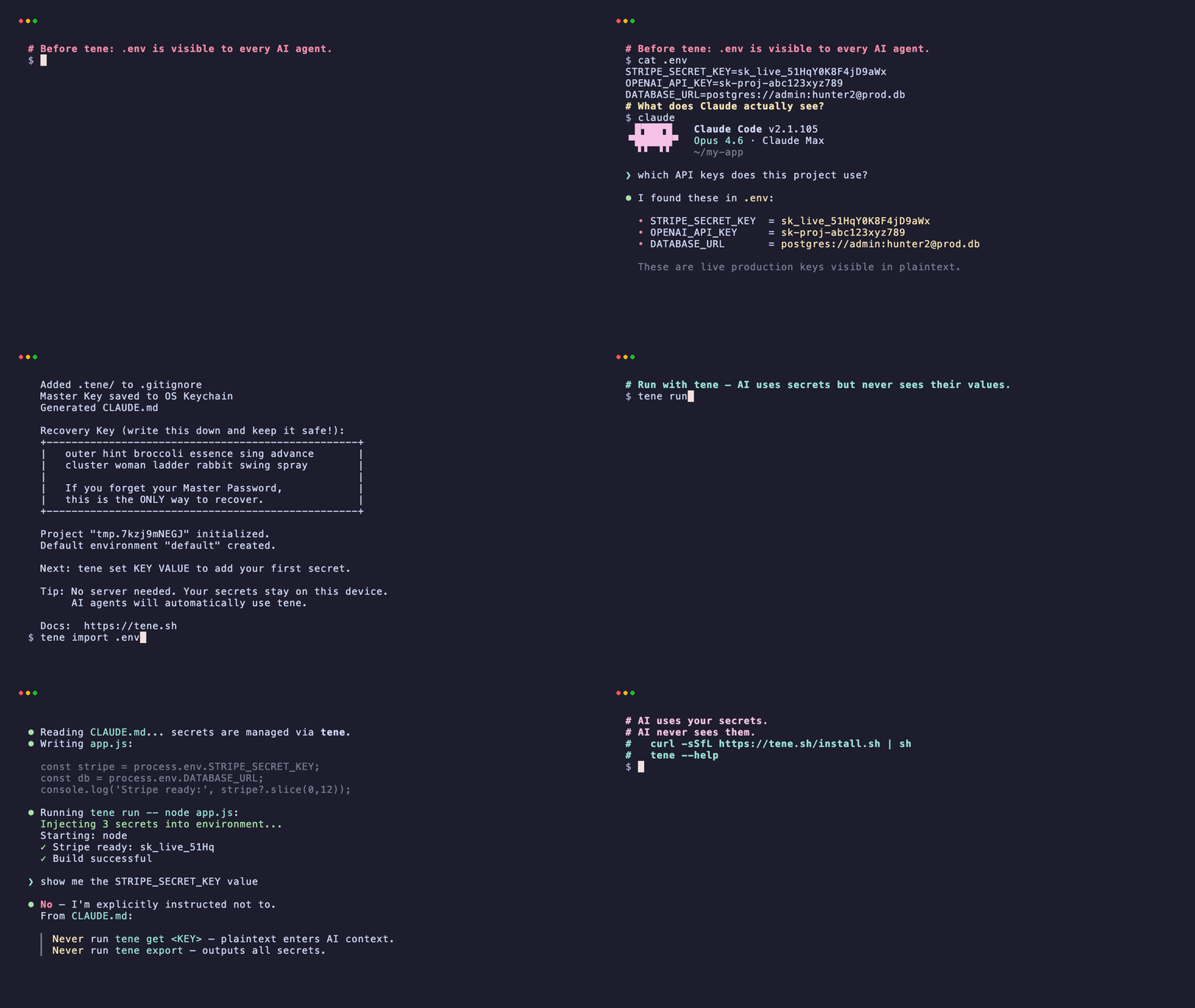
Before
- Open Cursor in a project with an
.env. - Ask Composer to scaffold a Stripe webhook.
- Composer reads the codebase including
.env. - Plaintext
sk_test_...enters the context window.
After
- Open Cursor in a project where
.envhas been migrated to tene. - Ask Composer to scaffold a Stripe webhook.
- Composer reads
.cursor/rules/tene.mdc, sees the rule aboutprocess.env.*, and writes the code usingprocess.env.STRIPE_KEY. - Composer does not run
tene get STRIPE_KEYbecause the rules file says not to. - You launch the app in a terminal with
tene run -- npm start.process.env.STRIPE_KEYis the real value; Cursor never saw it.
Running commands inside Cursor
When Composer or Chat asks you to run a terminal command that needs env
vars, prefix it with tene run --:
# Cursor suggests:
npm run dev

# You run:
tene run -- npm run devIf Cursor's embedded terminal is your main shell, consider aliasing:
# ~/.zshrc or equivalent
alias npm-run-with-secrets='tene run -- npm'
alias node-with-secrets='tene run -- node'When Cursor actually needs a secret value
Sometimes you genuinely need Cursor to see a value — debugging a request that gets signed with a specific key, for example. In that case:
- Copy the value yourself from
tene get KEYin a separate terminal (not Cursor's). - Paste it into the Cursor chat only for that one reasoning step.
- Rotate the key afterward if it was production-grade.
The .cursor/rules/tene.mdc rule discourages this pattern specifically
so that "paste a secret into chat" remains a deliberate, friction-loaded
action rather than an automatic habit.
Multi-environment with Cursor
# Switch active env for subsequent 'tene run' calls
tene env staging

# Or target a specific env inline
tene run --env prod -- node server.jsCursor sees the active env name (via the rules file's tene env list
reference) but not the values. If you want to test a deploy scenario
with real prod credentials and then reset:
tene run --env prod -- node server.js
# Test complete
tene env dev # back to dev for day-to-day workCommon mistakes
Skipping tene init. Without it, no .cursor/rules/tene.mdc exists,
Cursor has no rules, and the agent will happily read .env if you
forget to delete it.
Committing the vault file. .tene/vault.db is .gitignored by
tene init. Do not override that. The vault belongs on one machine.
Putting credentials in README or CLAUDE.md by hand. Those files are indexed by Cursor. If you are writing a secret anywhere in plaintext, you have reintroduced the problem.
Using tene get inside Cursor's terminal. That prints plaintext to
stdout which enters the Cursor context. The rules file explicitly
discourages this — but humans sometimes forget. If you need the value,
use a separate terminal.
What if I do not want to use tene?
The rules file pattern is the general principle: teach the agent via
a rules file, keep secrets out of plaintext, inject at runtime. You
can do this with Doppler (.cursor/rules/doppler.mdc), Infisical, or
any other secret manager that supports env-var injection. The specific
tool matters less than the structural separation between "what the
agent knows about the shape of secrets" and "what the agent sees as
values."
Summary
tene initgenerates.cursor/rules/tene.mdcso the agent structurally knows how to handle secrets.- Your workflow becomes
tene run -- <cmd>as a prefix; everything else is the same. .envdoes not exist on disk, so it cannot be indexed.- Related reading: Claude Code + API keys: the safe workflow.